
Nobody has time to manually keep tabs on the social networks of every individual person they know. But as people change jobs, meet in real life and connect on LinkedIn, new referral opportunities and easy paths into your accounts open up every single day.
Sales Nav can watch your accounts over time and alert you the moment a new warm path appears. Setting this up takes very little work. Even so, very few sellers build these alerts, and even fewer act on them.
These plays have helped me book meetings with people who seemed impossible to reach. Today we’re covering two of my favorite alerts (with a link to plenty more at the end):
- 1st Degree Gets a New Job in Your Territory
- New Executive Joins Your Company
Let’s hop in!
1st Degree Gets a New Job in Your Territory
If someone you know takes a job at a company you want to sell to, you should reach out ASAP!
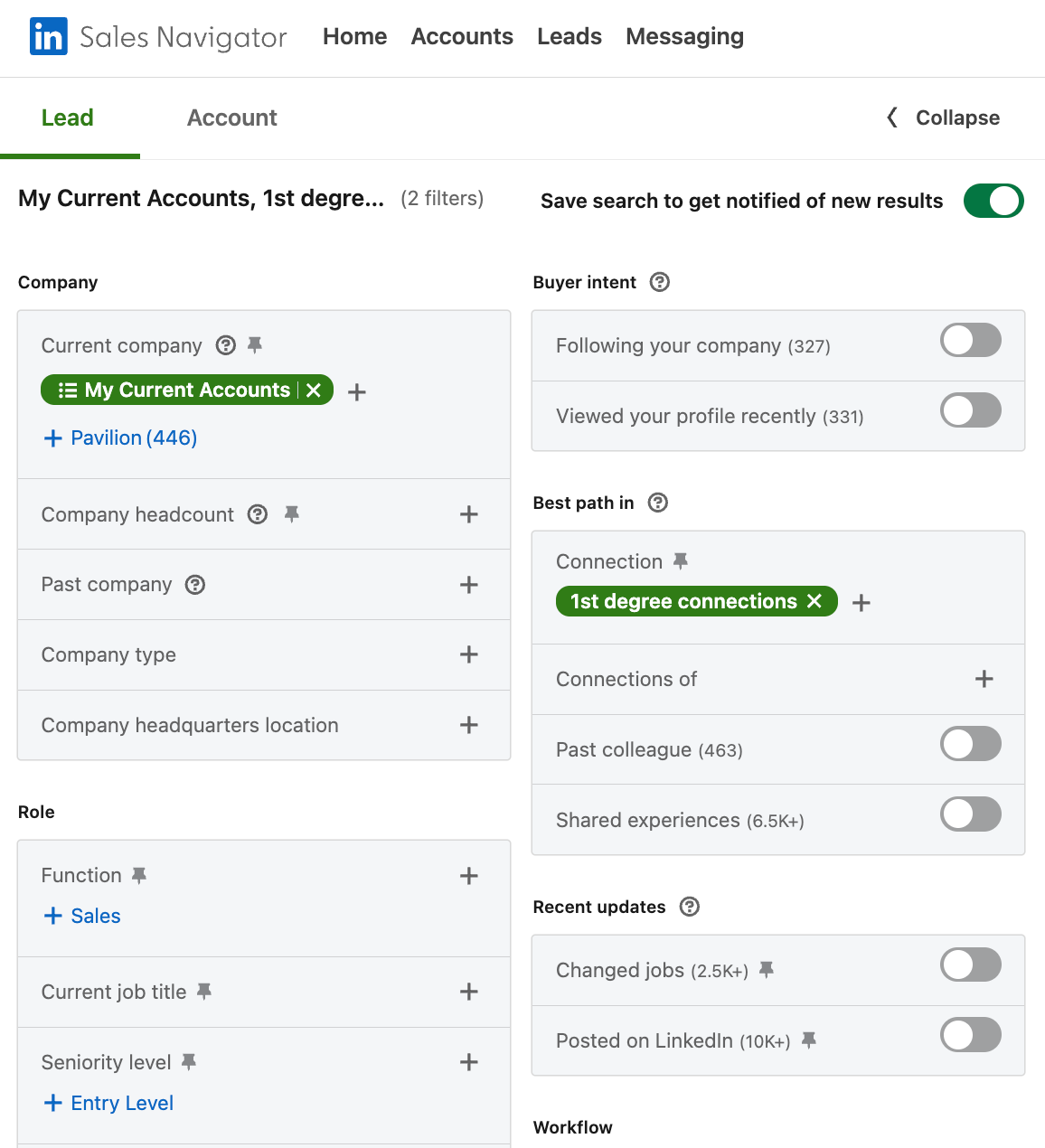
This search gives you a list of any 1st degree connections you know who currently work in your territory. Save the search, and you’ll be notified whenever a change in your network creates a new warm intro path for one of your target accounts.
Here are the filters:
- Current Company → Your Target Account List
- Connection → 1st degree
- Save Search to get notified of new results
It doesn’t matter if that 1st degree isn’t your buyer persona; they may still be able to introduce you to the right person.
One alert down. Now let’s look at an internal one.
New Executive Joins Your Company
Execs have the juiciest networks, so when a new exec comes on board, you’ll want to be the first to mine it for connections to your target accounts. New execs are also eager for a quick win, so catch them when they first start and are most willing to help.
This alert flags every new exec hire, including ones in a different city or business unit that you’d likely never hear about otherwise.
It’s shocking how few do this. I know because when I’m training organizations how to Social Sell, I start by asking executives this one question:
You joined as CRO 9 months ago, how many sales reps have asked you for introductions to people in your network who are in their territory?
The answer is almost always zero.
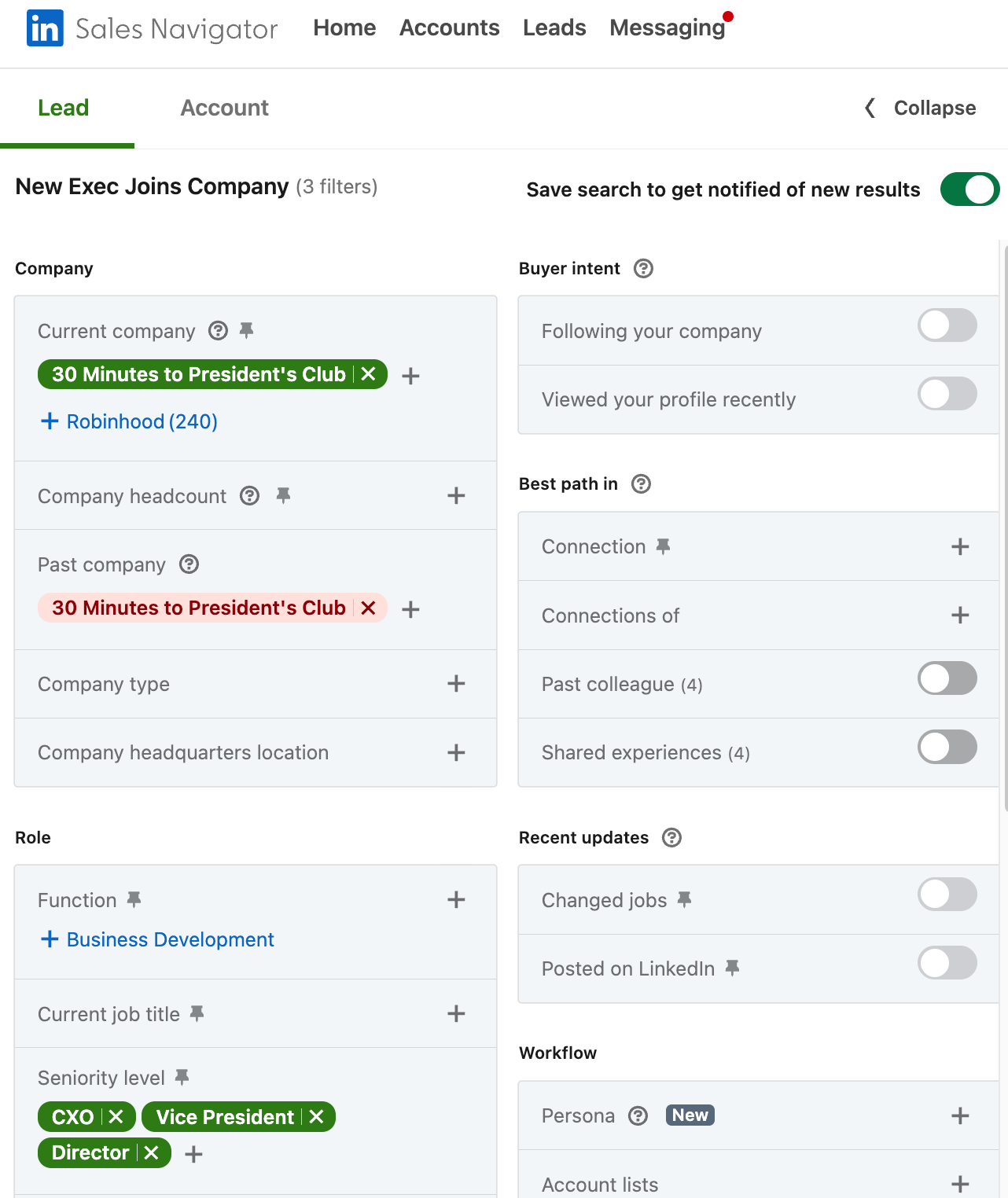
Here's how to set up the alert:
- Current Company → Your Company
- Past Company → *Exclude* Your Company
- Seniority → CXO, Vice President, Director (This will vary depending on the size of your organization.)
- Save Search to get notified of new results
Initially, you’re left with a list of every executive who matches those criteria right now. Save the search to be alerted of every new executive who joins your company. Connect with them immediately so you can view their 1st degree connections against your territory.
These two alerts are simple enough that people are usually a little annoyed they didn’t think of them sooner, but they’re only the tip of the iceberg of what we cover in our course, Social Selling: The Warm Pipeline Machine. Pre-order before Oct 19 and get $100 off.
For a FREE deeper dive and a LIVE Q&A with me and Nick, sign up for the Social Selling Masterclass here!