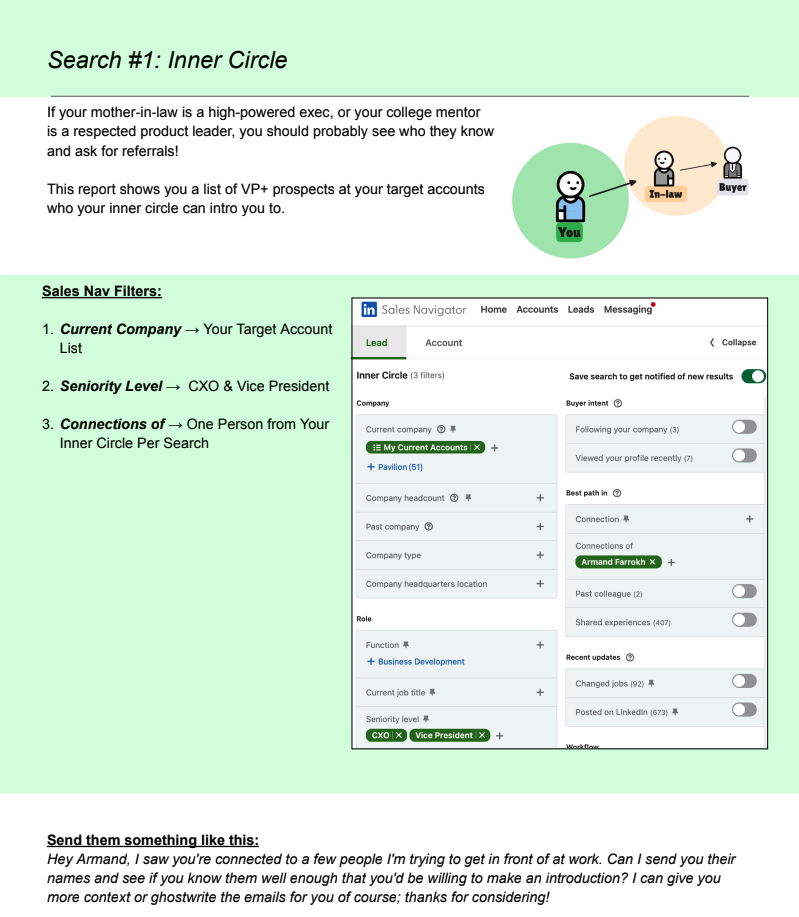

Asking for referrals isn't revolutionary. But if I had a dollar for every rep who asked me for help cracking into an account, I'd have sailed into the sunset long ago.
My first question is always the same: "Who do you know that works there?"
And nine times out of ten, the answer is: "I haven't looked… that's a great idea."
The fastest way into an account is rarely a cold email. It's figuring out who in your network knows the person you're trying to reach.
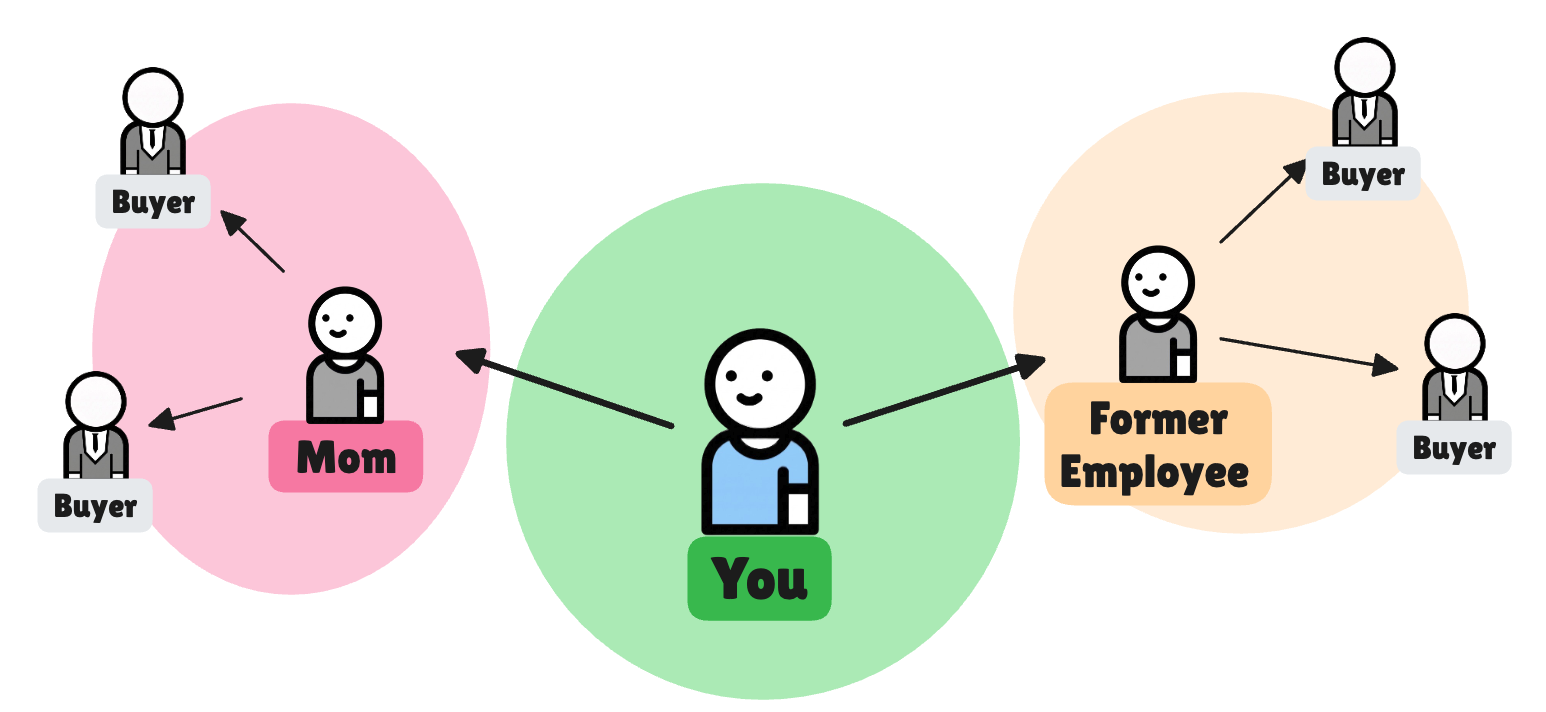
So, let’s crack into two of my favorite referral hacks:
- Your Mom Knows Your Buyer
- People Who Used to Work At Your Company
Now it won’t help your quota if Momma’s connected to 5 CEO’s if they can’t buy from you. For these searches you’ll need to overlay your territory by getting your target account list into Sales Navigator.
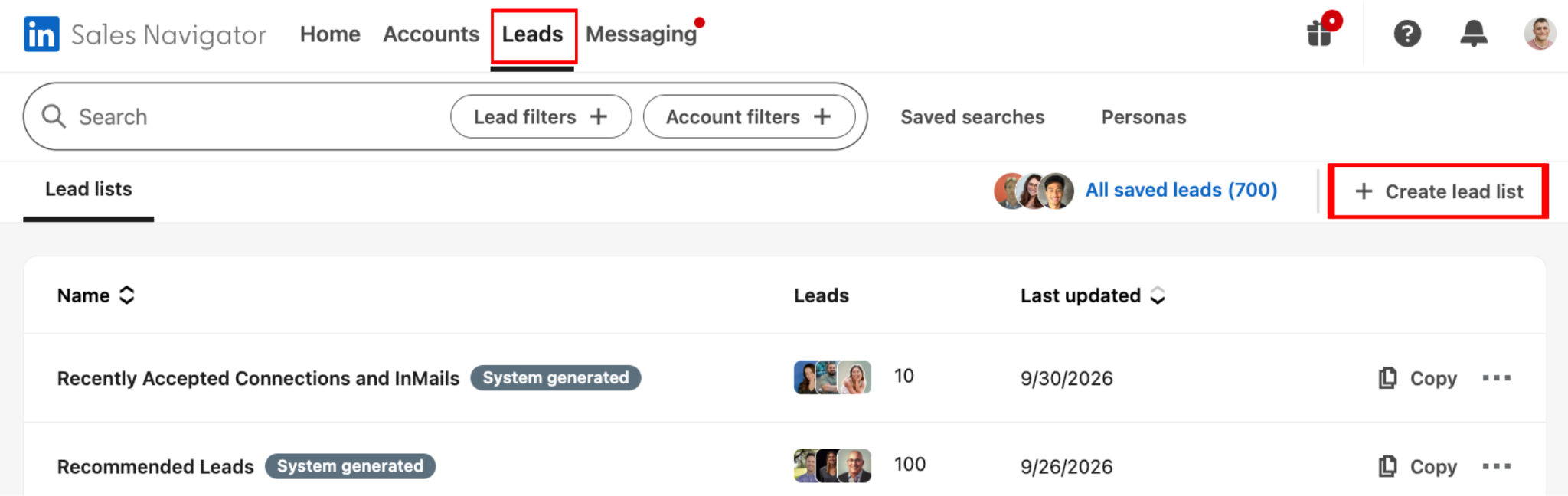
Easiest way to do this is to build a custom named account list. In Sales Nav click Leads, then Create lead list.
Let’s check in on Mom.
Your Mom Knows Your Buyer
I wish I had a better "your mom" joke to put in here but I'm not that creative... Where I am creative is in these Sales Navigator referral hacks.
This is an easy one, but don’t limit it to just your Mom, consider this a path for anyone in your inner circle like mentors, in-laws, or your BFFs. You probably have at least a handful of people who are senior-ranking or very tenured in their careers. These folks likely have a network full of people that might serve as an in to one of your accounts.
Here's how to pull a list of people at your target accounts who are connected to your inner circle in Sales Nav:
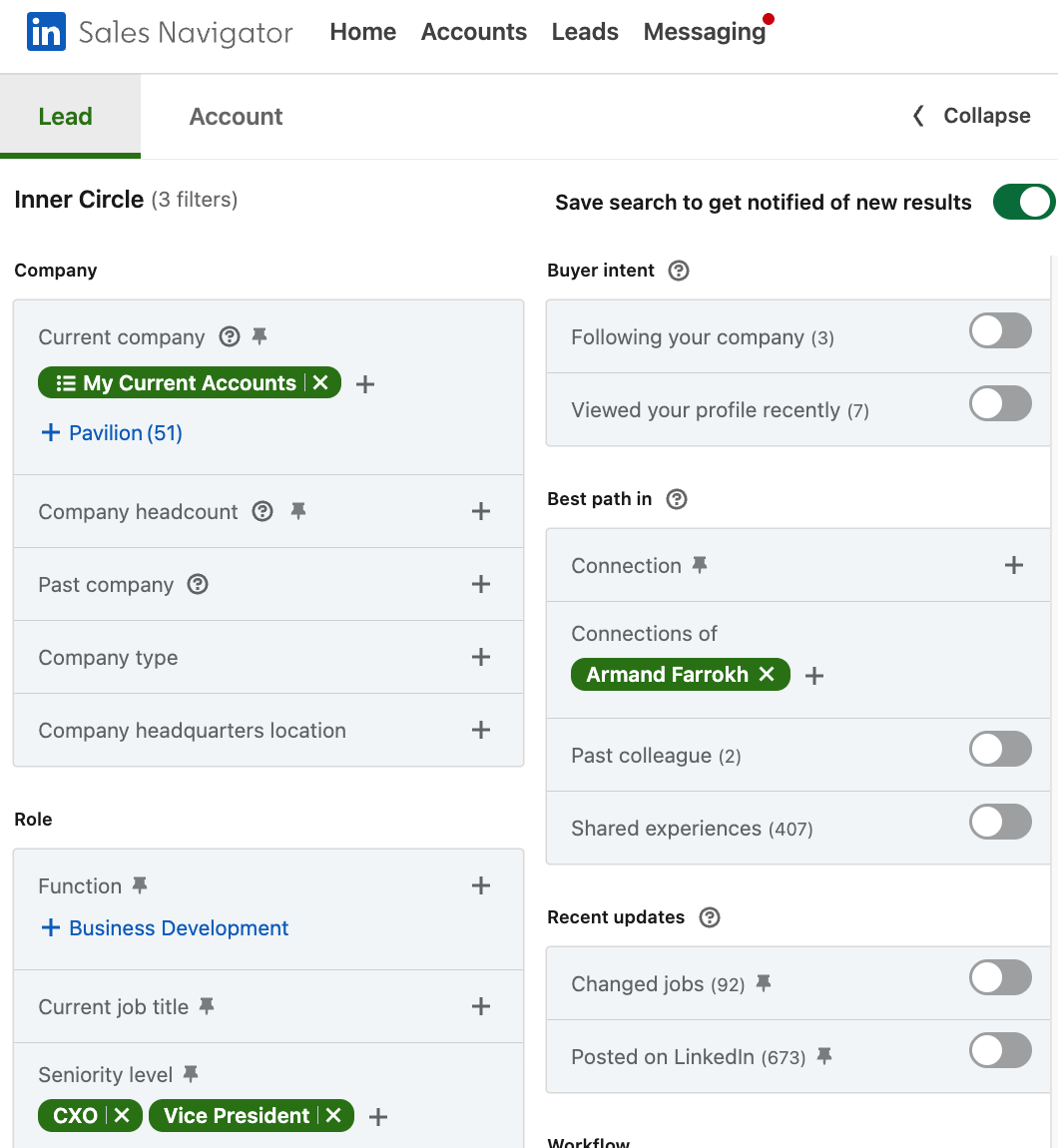
- Make sure you are first-degree connected with this person on LinkedIn.
- Go into LI Sales Navigator and click on Leads search
- Apply these filters just like the image above:
- Current Company → Your Target Account List
- Seniority Level → CXO & Vice President (add Director or lower for more results)
- Connections of → “Mom” or other person from your inner circle
- Rinse/repeat for your most connected friends.
When you reach out to your inner circle, send over all the names of the people you're trying to reach and ask if they know any of them well enough to make an intro. Make it easy by offering to ghostwrite the intros.
Your mom was easy. Now here’s one you probably haven’t thought of.
People Who Used to Work At Your Company
You know who else is willing to help you? People who used to work for your organization, especially if they left recently.
The alumni of your company usually still have a positive impression of the company, and are still rooting for its success.
Here's how to pull a list of people at your target accounts who are connected to people who used to work at your company in Sales Nav:
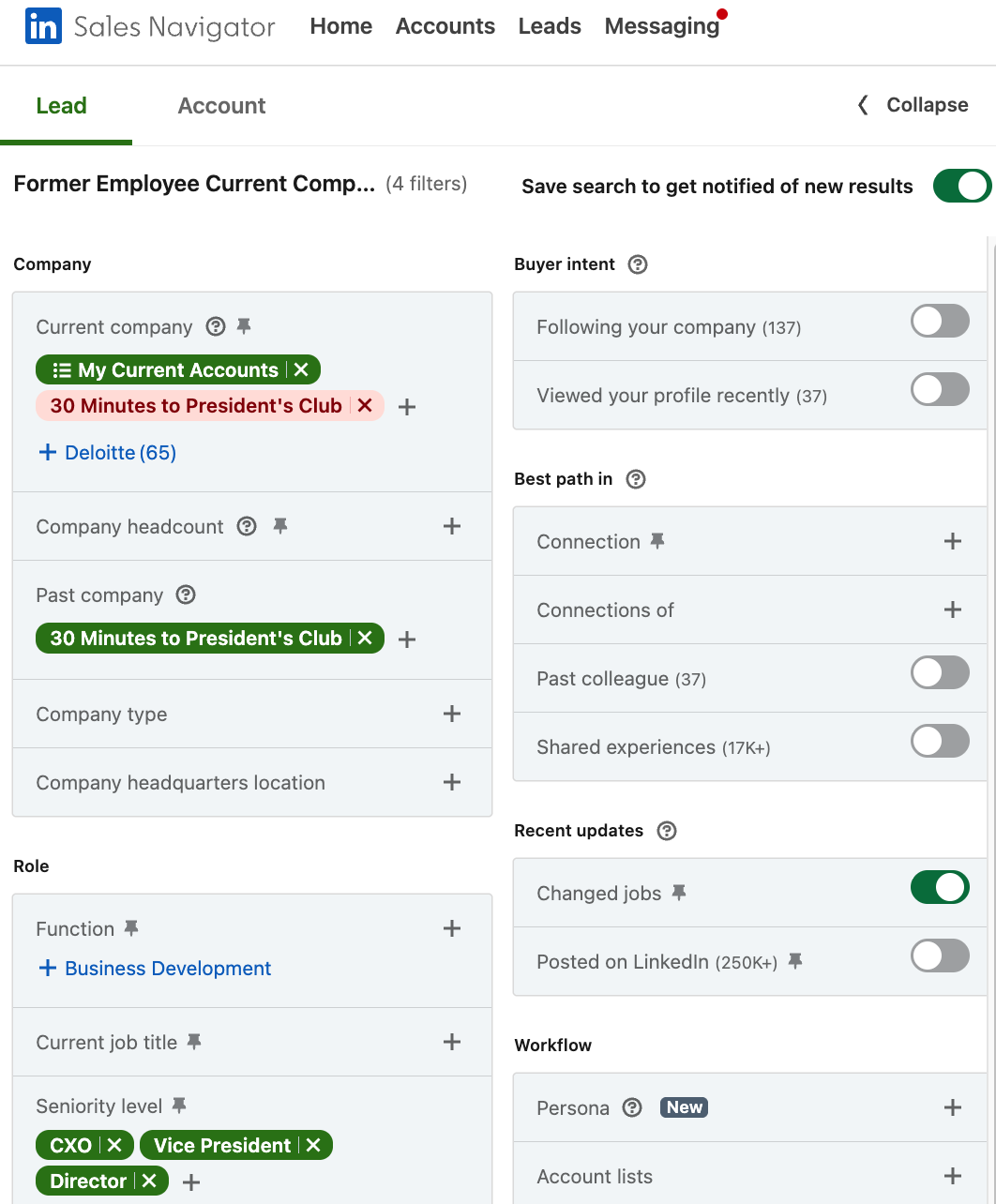
- Go into LI Sales Navigator and click on Leads
- Apply these filters just like the image above:
- Current Company → Your Target Account List
- Current Company → Exclude Your Current Employer
- Past Company → Include Your Current Employer
- Seniority Level → CXO, Vice President, Director
- Hit the toggle on “changed jobs” as well. This will surface anyone who has left in the last 90 days and who will likely still be fresh enough to help you.
Last killer point to make here: make sure you hit the toggle to save your search at the top. This means that any time somebody leaves your own employer and goes into your territory, you'll have a new search result on the list and can action it immediately.
Those are just two of my favorites. For a deeper dive and a LIVE Q&A with me, sign up for the Social Selling Masterclass here!
And when you're ready, this noozy is just a sneak peek of our new course, Social Selling: The Warm Pipeline Machine. Pre-order before Oct 19 and save $100 off.